Online Remote Discover
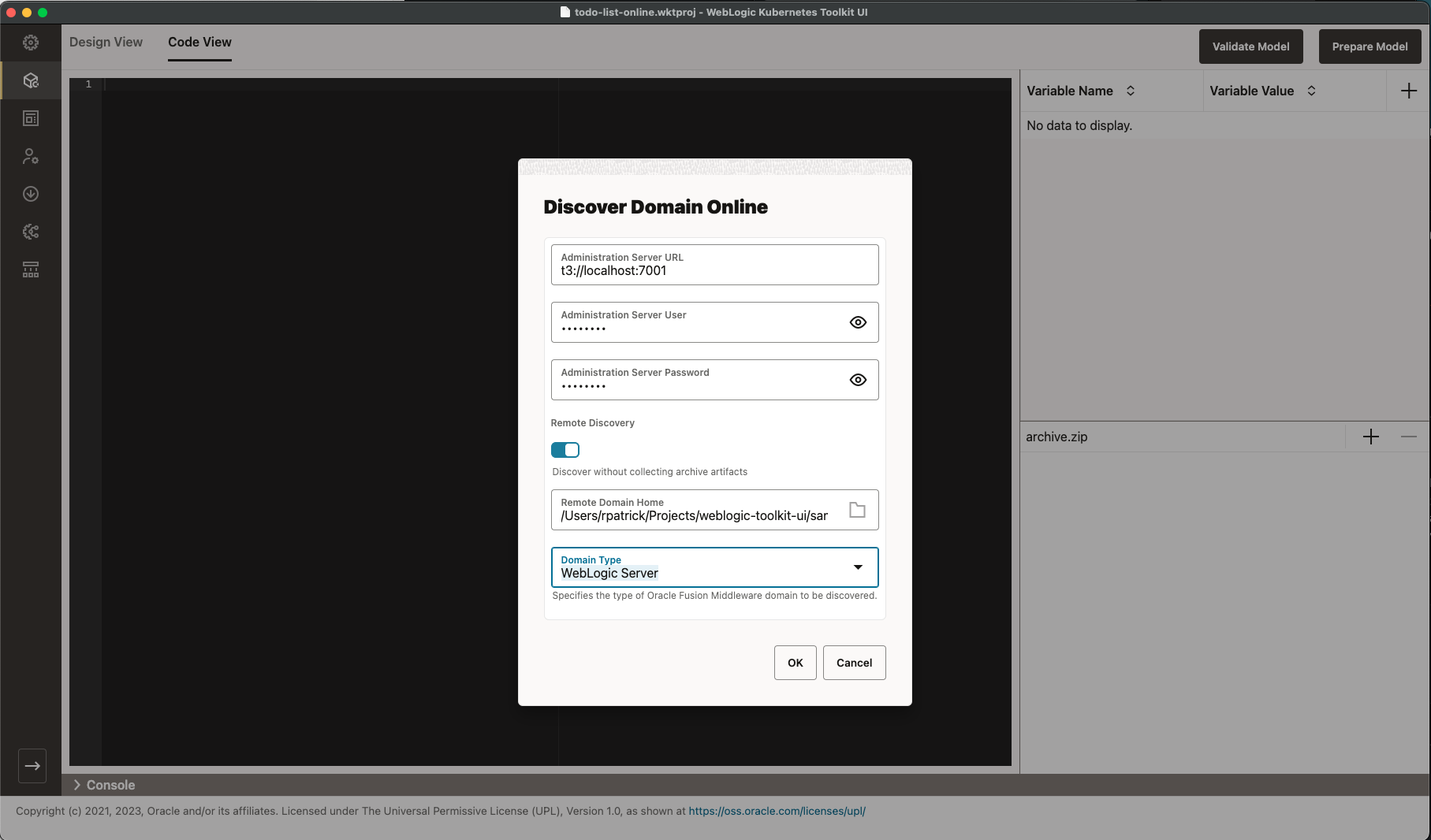
In WKT UI, go to the Model page and select the Code View tab. Select the File > Add Model > Discover Model (online)
menu item. The following dialog box appears. Enter the information shown in the following image, including the Domain Home
path $WKT UI_QS_HOME/todolist_domain directory. Make sure to provide the WebLogic user name and password specified when
you ran the createToDoListDomain script. Note that when running Discover Model (online) from a remote machine, SSH
is the preferred mechanism, since this allows a full model of the remote domain to be discovered. For simplicity and
because we only need the todo.war binary that we already have locally, use the Do not collect artifacts option.
This path is used to present the results of what we need to do, as shown in the following image.
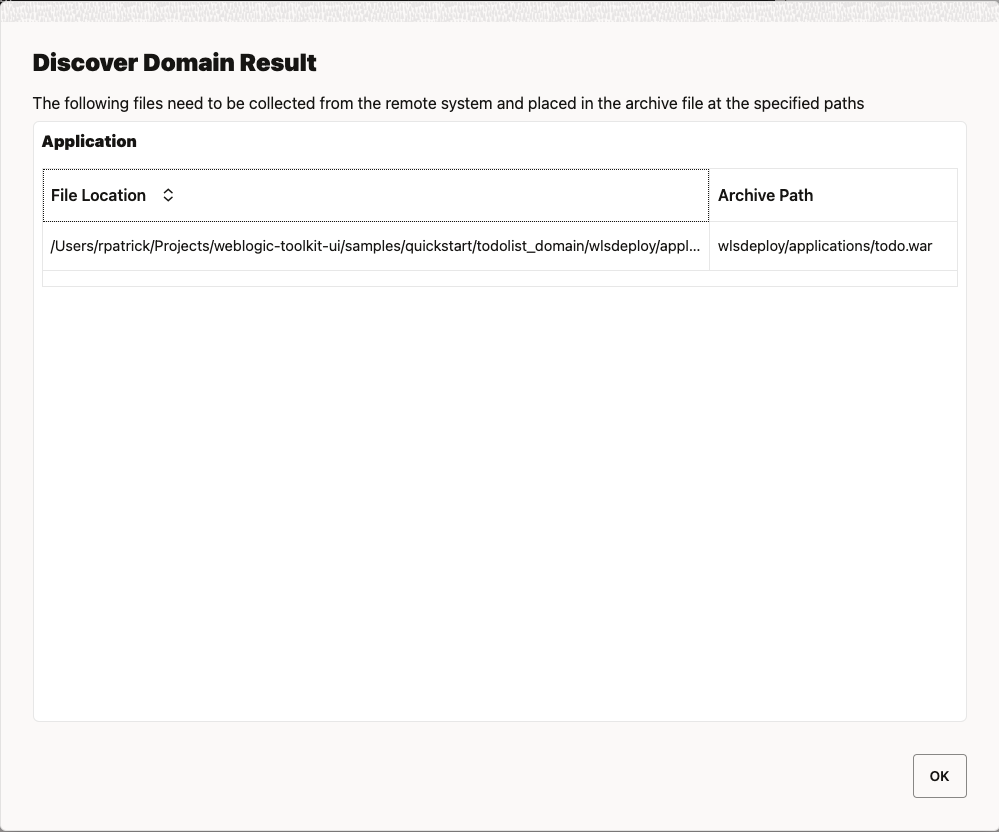
Note that in this sample, there are no Domain Binaries or Domain Libraries so you only need to
add the todo.war binary to the WDT archive file.
Depending on the version of WDT you are using, online remote discovery adds some fields with their default values that were not actually set in the original model used to build the domain. WDT is continuing to improve discovery so your results may be slightly different from those shown in the following image.
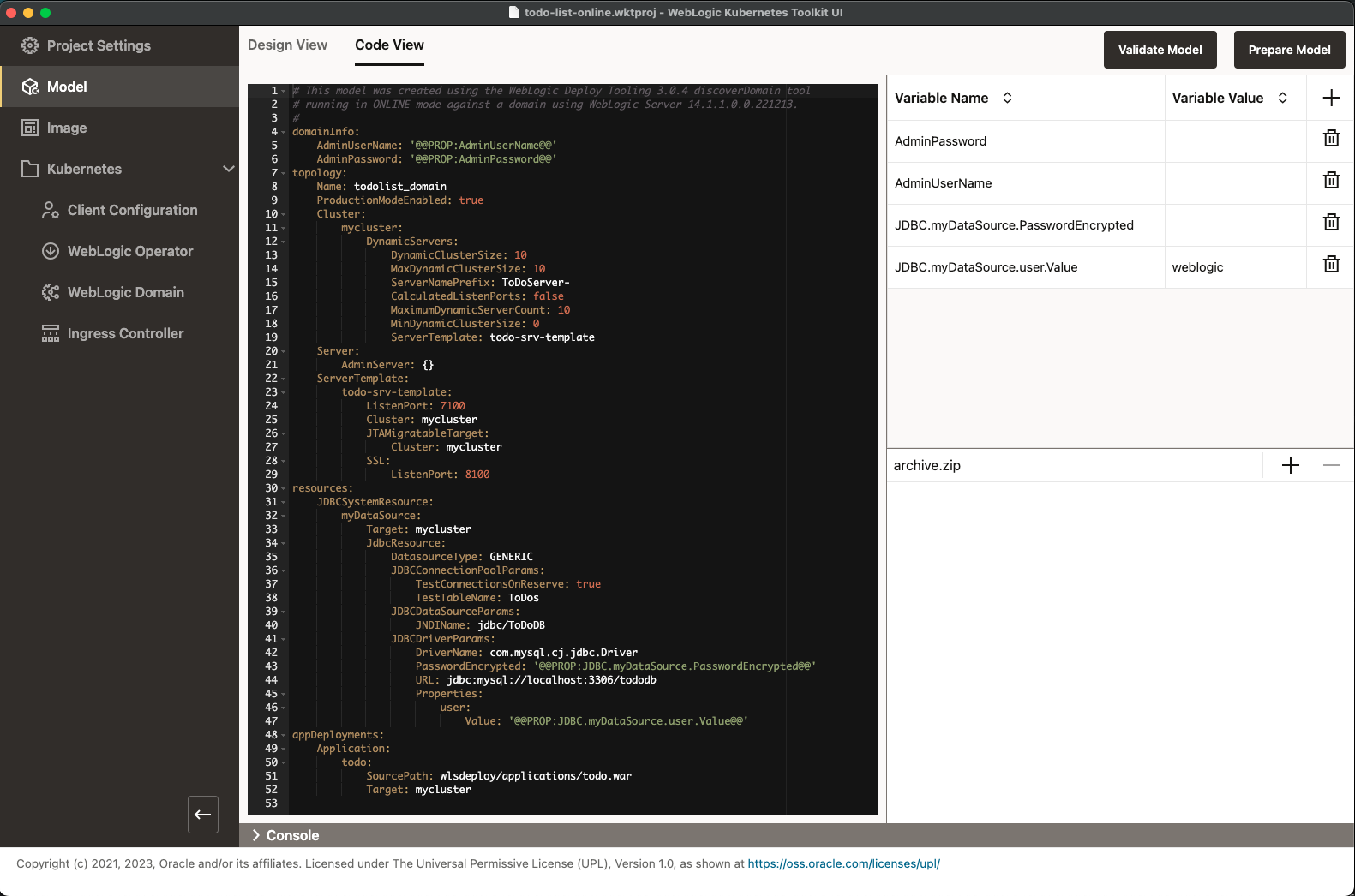
Because we want to be able to go back seamlessly to the main flow with your model, you will clean it up a bit, fill in the missing variable values, and add the application to the archive file. Please make the following changes:
- Under
todo-srv-template, add theListenPortEnabledfield set totrue. - In the
JDBCDriverParamsblock, changelocalhosttomysqlin the URL field. - Set the empty variable values using the values specified when you ran the
startMySQLandcreateToDoListDomainscripts.
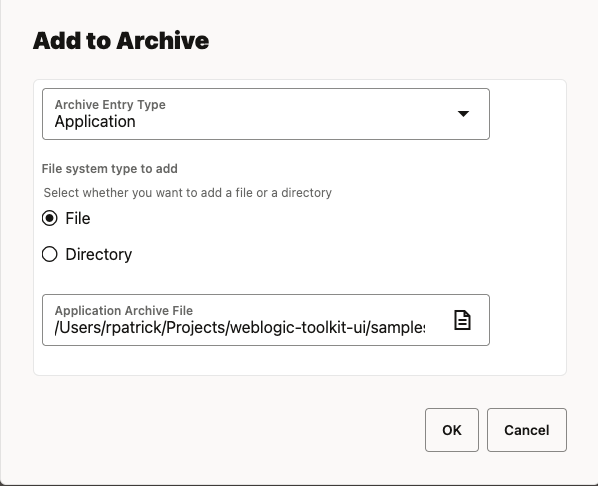
Now, click the Plus Sign in the archive editor. Choose the Archive Entry Type, Application, and set the
Application Archive File to the file at $WKT UI_QS_HOME/app/target/todo.war (when running with WebLogic Server 14.1.1
or 14.1.2) or $WKT UI_QS_HOME/app-jakarta/target/todo.war (when running with WebLogic Server 15.1.1), as shown in the
following image, and then click OK.
Now, the model should look similar to the one shown in the following image (except that the variable values will match the credentials you chose).
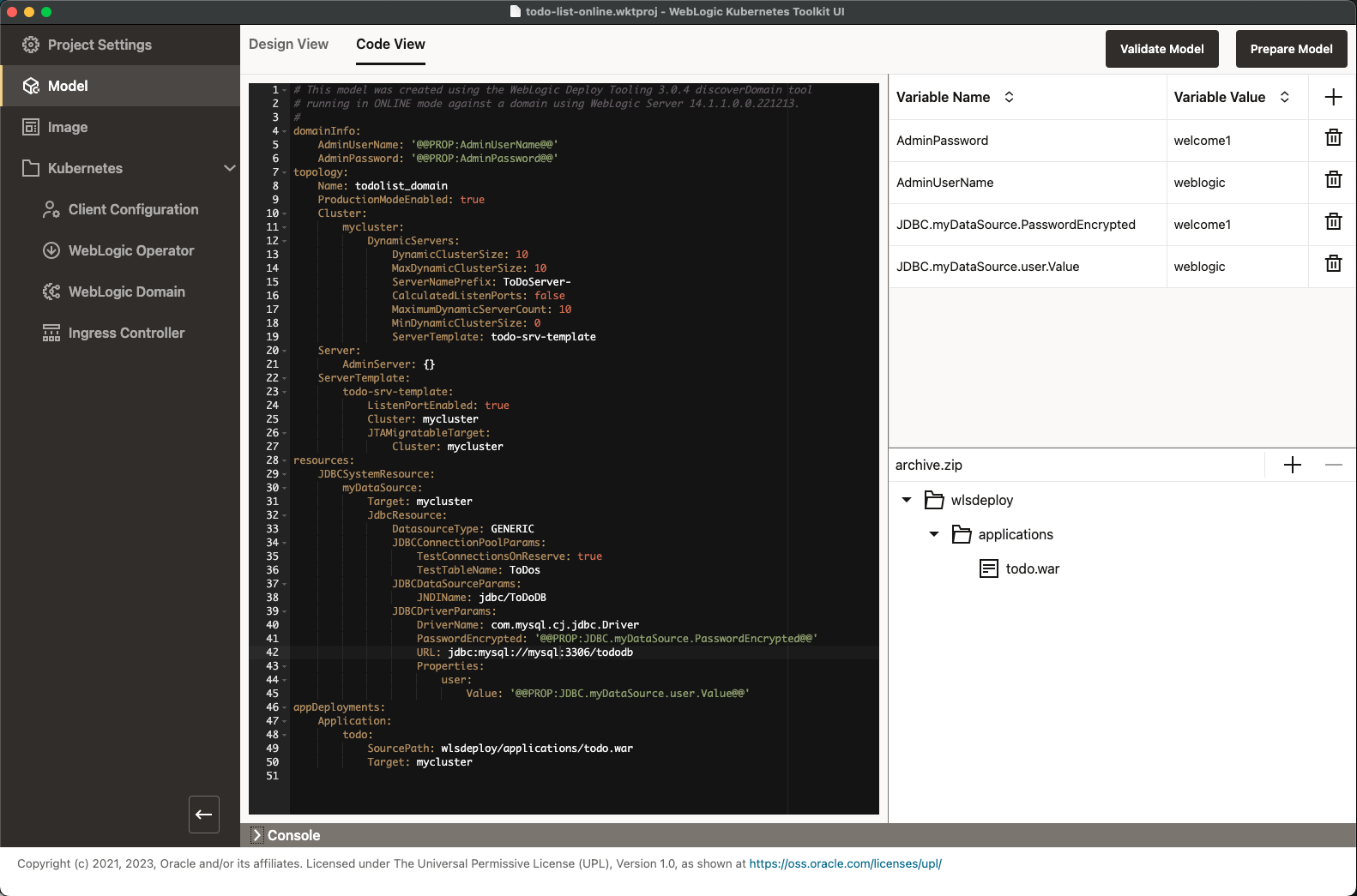
At this point, the model is roughly equivalent to the hand-built one shown in the Validate Model Code View . Most of the minor differences will go away after you prepare the model.
You can stop any running WebLogic Servers in the local domain, and stop and remove the mysql container. To continue, return to
Validate and Prepare the Model
.