Offline Discover
In WKT UI, go to the Model page and select the Code View tab. Select the File > Add Model > Discover Model (offline)
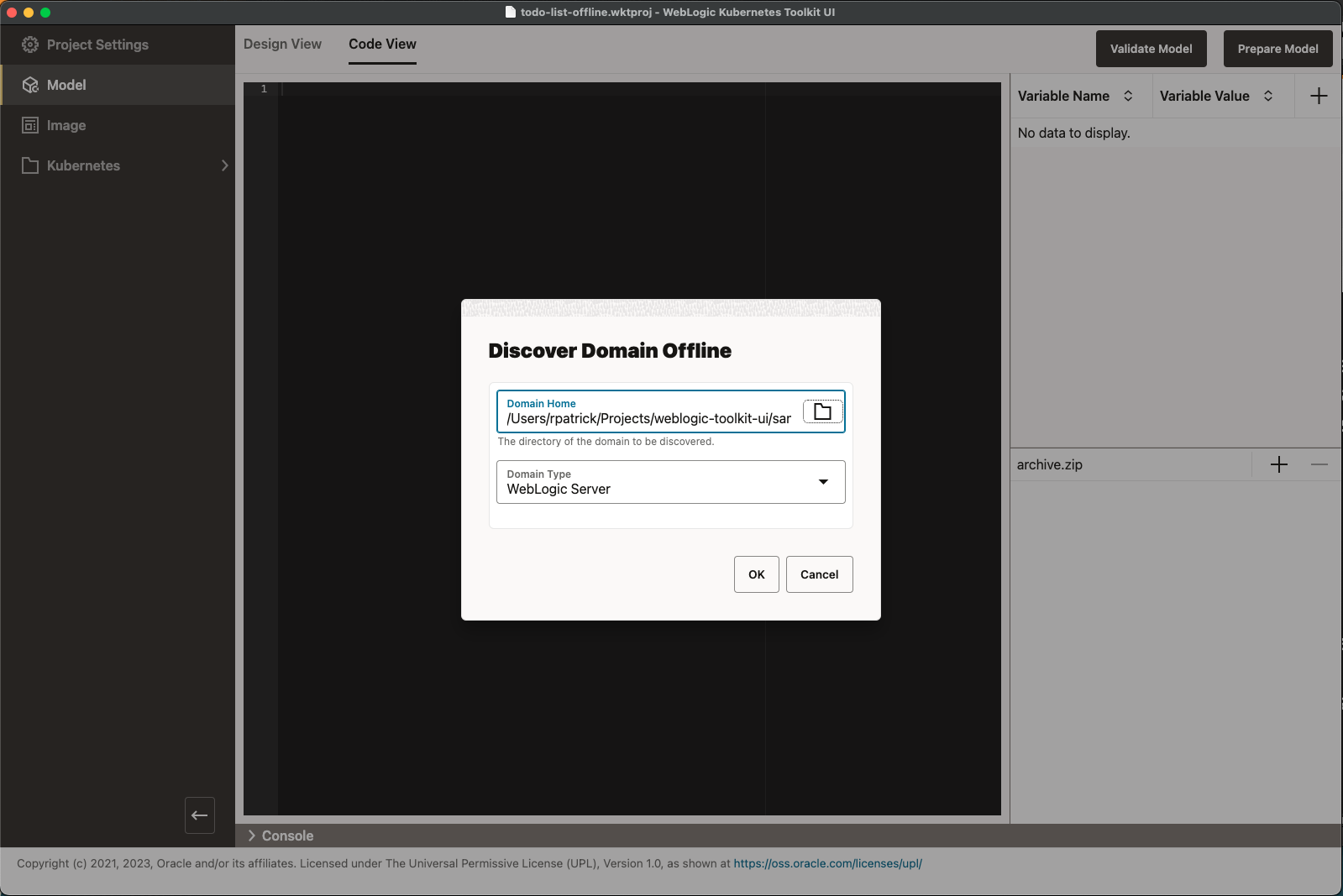
menu item. The following dialog box appears. Enter the path to the $WKT UI_QS_HOME/todolist_domain directory as the
Domain Home, as shown in the following image.
To start the discovery process, click OK. After it completes, make the following required model changes:
- Fill in the credentials using the values provided when you ran the
startMySQLandcreateToDoListDomainscripts In the Variable Editor. - Don’t worry about the
SecurityConfig.NodeManagerUsernameproperty or the model entry referencing it. This will be removed by thePrepare Modelaction later. - Change
localhostin the JDBC URL on line 44 tomysql.
Because a server template’s ListenPortEnabled value defaults to true, this attribute was omitted from the discovered model.
To make your model look the same as the hand-built one, add the ListenPortEnabled attribute with a value of true to the
server template, as shown in the following image. While you are at it, add the AdminServerName attribute with a value of
AdminServer. This field helps the WebLogic Kubernetes Operator know the name of the WebLogic domain’s Admin Server.
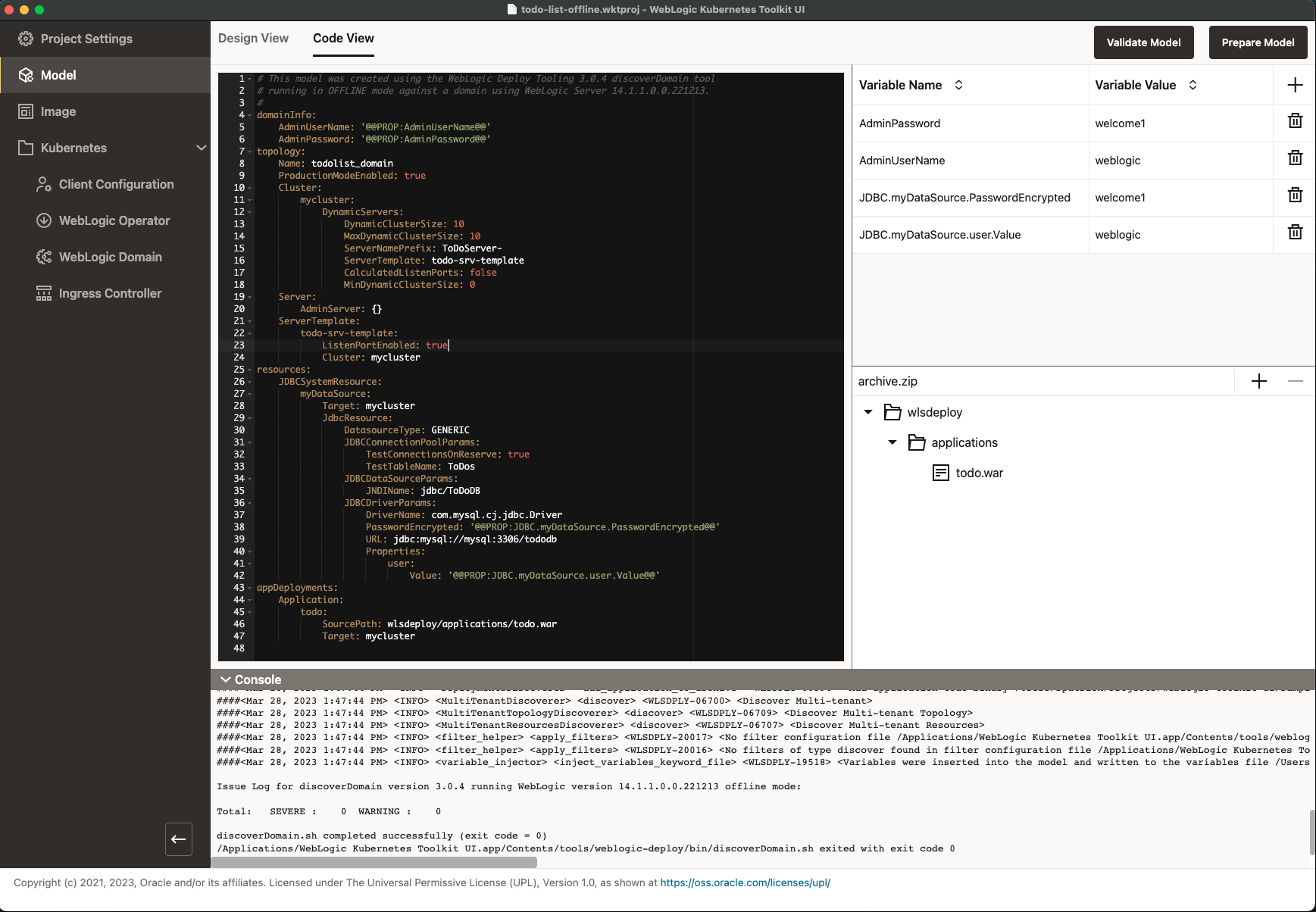
At this point, the model is roughly equivalent to the hand-built one shown in the Validate Model Code View . After you prepare the model, all the minor differences will go away.
You can stop any running WebLogic Servers in the local domain, and stop and remove the mysql container. To continue,
return to
Validate and Prepare the Model
.