☁️ OCI Configuration
Details
Oracle Cloud Infrastructure (OCI) can optionally be configured to enable additional AI Optimizer functionality including:
- Document Source for Splitting and Embedding from Object Storage
- Private Cloud Language and Embedding models from OCI Generative AI service
Configuration
OCI can either be configured through the AI Optimizer interface, a CLI Configuration File, or by using environment variables.
You will need to generate an API Key to obtain the required configuration values.
Interface
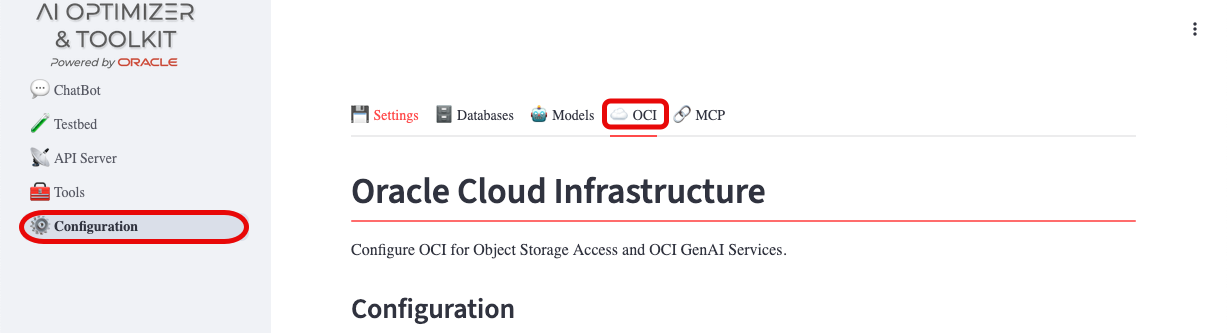
To configure OCI access from the AI Optimizer, navigate to Configuration menu and OCI tab:
Provide the values obtained by generating an API Key.
OCI GenAI Services can also be configured on this page, once OCI access has been confirmed. See Loading OCI GenAI Models.
Config File
Depending on the runtime environment, either Bare Metal or Containerized, your local CLI Configuration File can be used to configure AI Optimizer for OCI access.
In addition to the standard configuration file entries, two additional entries can be added to enable OCI GenAI Services:
- genai_region: the Region for the OCI GenAI Service
- genai_compartment_id: the Compartment OCID of the OCI GenAI Service
Bare Metal
During startup, the AI Optimizer will automatically look for and consume a CLI Configuration File for configuring OCI access.
Container
When starting the container, volume mount the configuration file to /app/.oci for it to be used.
For example:
Environment Variables
OCI can also be configured using environment variables. See OCI CLI Overrides and OCI GenAI under Environment Variables.
Authentication Types
The following authentication types are supported via the AIO_OCI_CLI_AUTH variable or the authentication field in the config file:
| Value | Description | Use Case |
|---|---|---|
api_key | API key with user, fingerprint, tenancy, and private key | Default; local development and service accounts |
instance_principal | Instance Principals security token | OCI compute instances with dynamic group policies |
resource_principal | Resource Principals signer | OCI Functions and other resource-principal-enabled services |
oke_workload_identity | OKE workload identity resource principal | Pods running on Oracle Kubernetes Engine |
security_token | Security token from file with private key | OCI Cloud Shell and token-based authentication |
Loading OCI GenAI Models
The OCI Generative AI service provides Private Cloud Language and Embedding models. If you subscribe to the OCI GenAI service, you can load the available models directly into the AI Optimizer.
There are two ways the models get loaded:
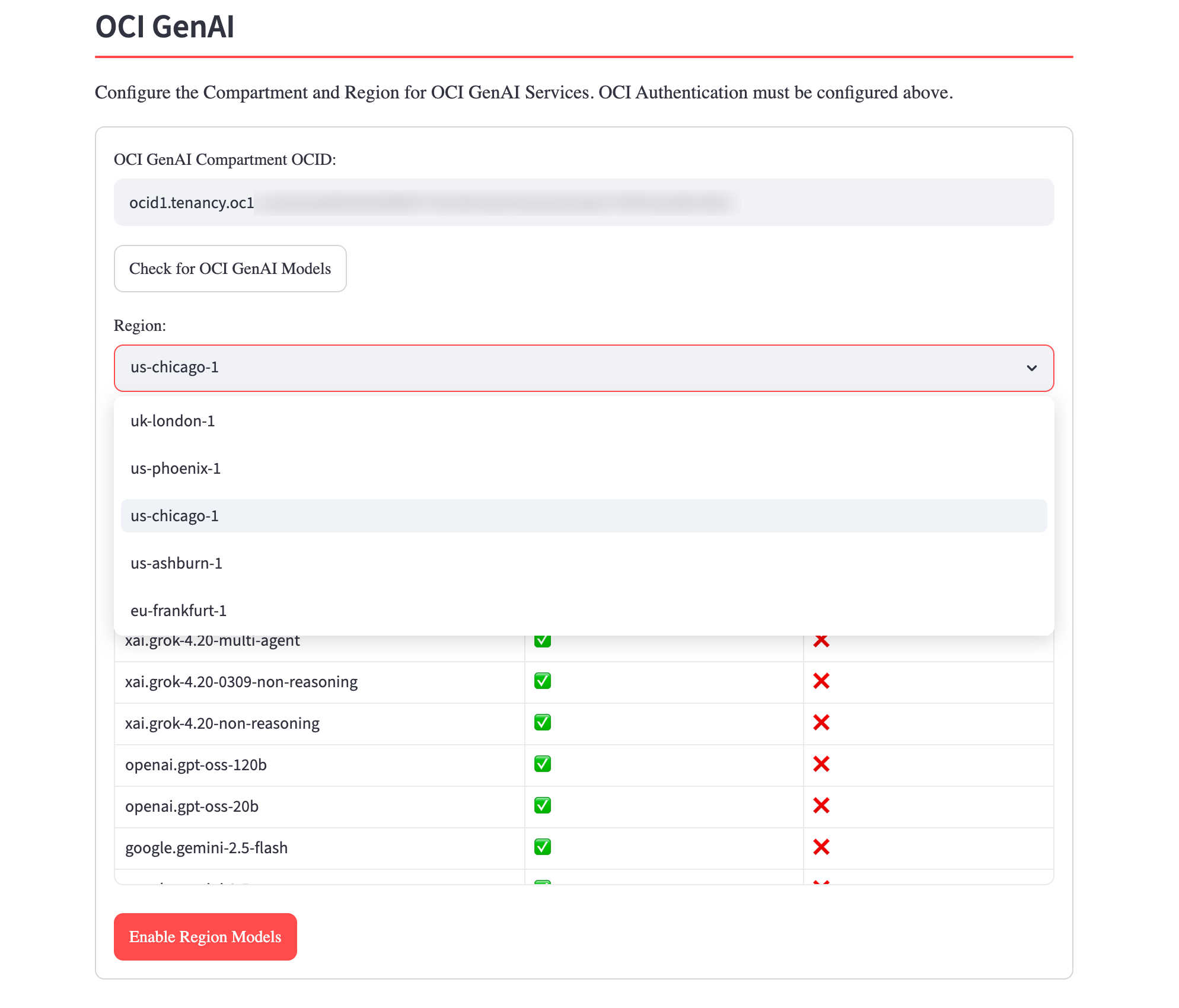
From the interface: On the OCI tab—once OCI access is usable—enter the GenAI Compartment OCID, click Check for OCI GenAI Models, choose a Region, then click Enable Region Models. The AI Optimizer queries the OCI GenAI service for that region, then registers and enables every chat and embedding model it offers.
At startup: When a usable OCI profile already has a GenAI Compartment OCID and Region persisted—from a previous configuration, a config file, or environment variables—the AI Optimizer loads that region’s models automatically.
Either way, the models appear on the Models tab. Changing the configured Region clears the previously loaded OCI models; the new region’s models are loaded the next time you run Enable Region Models or at the next startup.