Oracle AI Database
The Oracle AI Database is required by the AI Optimizer Server. The database is used to store:
- AI Optimizer settings and configuration
- Testbed question-and-answer test sets and evaluations
- background job state
The required connection and any additional database connections can also provide:
- vector stores for document embeddings used in Retrieval-Augmented Generation (RAG)
- structured data for Natural Language to SQL (NL2SQL)
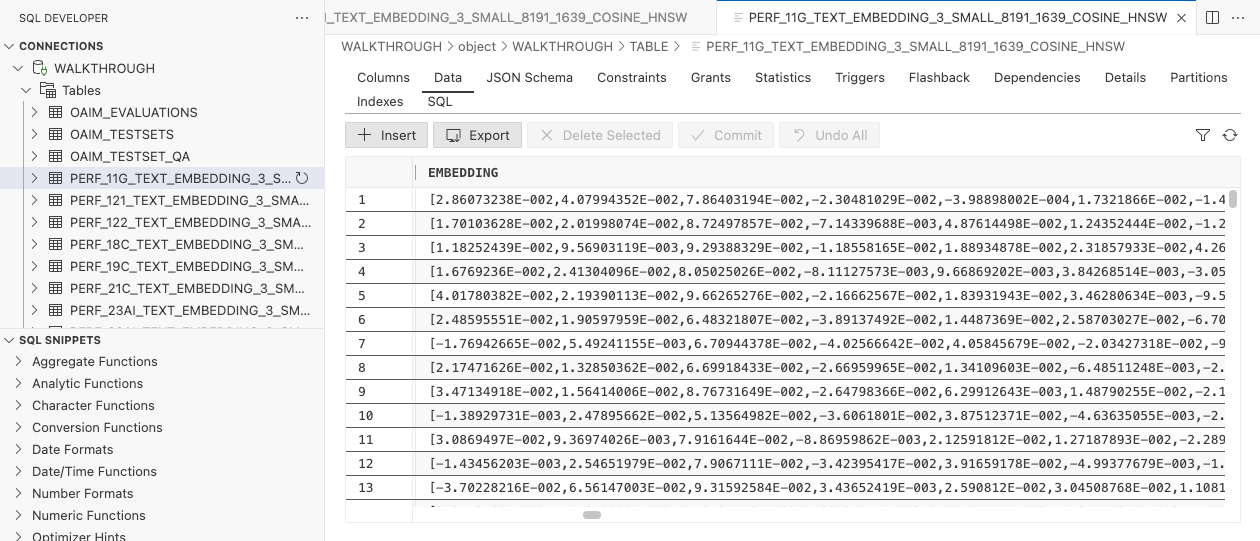
Server startup requires complete database settings, a successful connection, and schema initialization.
Oracle Autonomous Database and Oracle AI Database Free are supported. Oracle AI Database Free provides a no-cost option for local development.
Database Configuration
How you provide the required Oracle AI Database connection depends on how you run the AI Optimizer.
Bare Metal and Containers
For bare-metal and container installations, set AIO_DB_USERNAME, AIO_DB_PASSWORD, and AIO_DB_DSN in the environment. You can set them in the shell, in src/.env.dev, or pass them to the container. Wallet connections can also use AIO_DB_WALLET_LOCATION and AIO_DB_WALLET_PASSWORD. See Environment Variables for details.
If you start the bare-metal client or all-in-one container without the three required variables, the client opens a setup page:
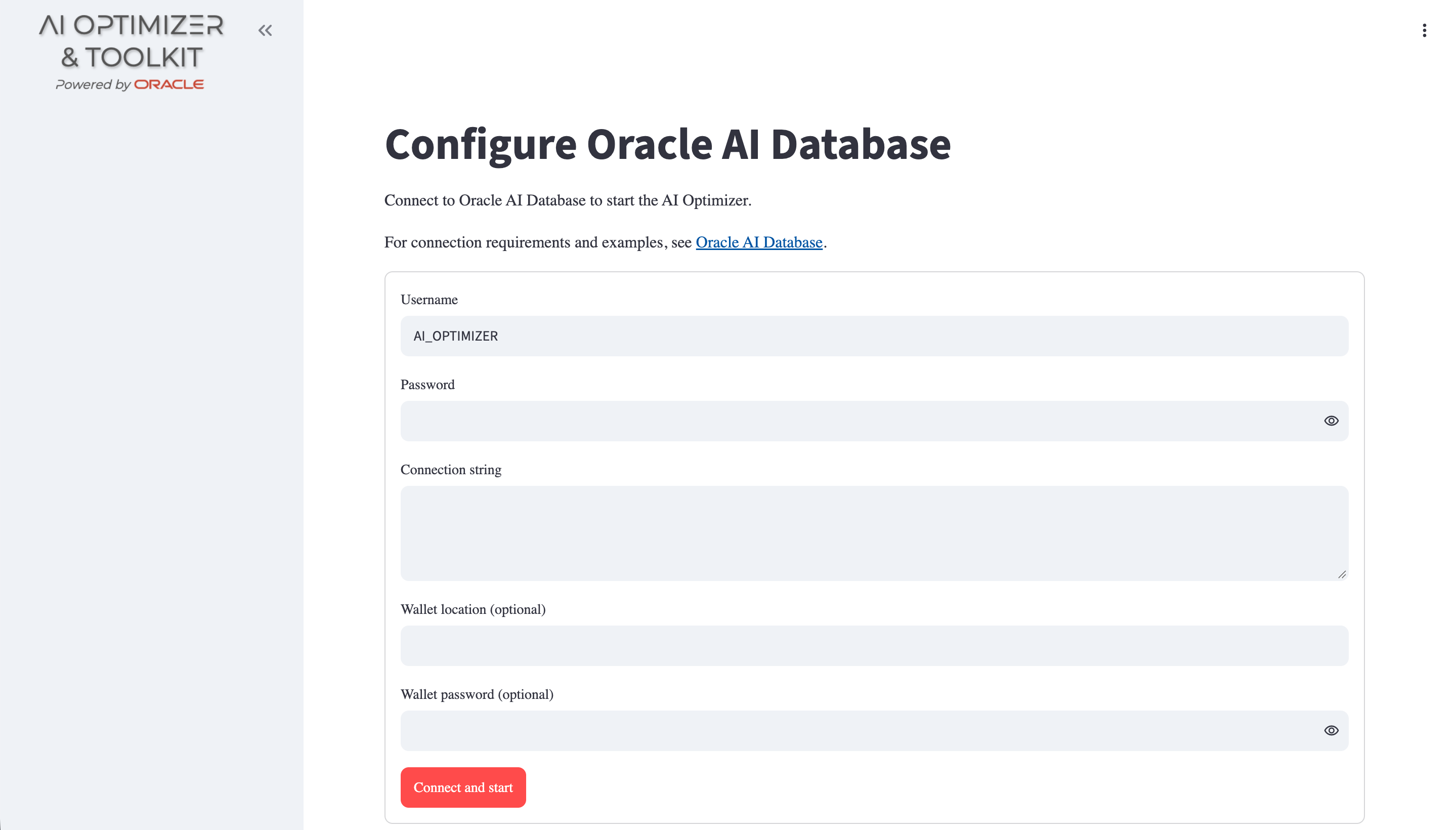
Settings entered on the bare-metal setup page last until the client stops. The all-in-one container stores them in its application-data volume.
The setup page is provided by the client. If you run the Server directly, set the database environment variables before starting it.
Helm and Kubernetes
With Helm, set the database mode and connection details under server.database. Store the username, password, and connection service in a Kubernetes Secret, then reference it with server.database.authn.secretName. The chart adds those credentials to the Server deployment.
The Kubernetes / Helm guide covers the supported database modes and Secret formats.
Client Display
After the Server starts, the Databases page displays the required connection with the reserved alias CORE. The deployment startup configuration controls CORE. Use the page to add and select database connections for Split/Embed, Vector Search, and NL2SQL.
Run Local Oracle AI Database Free
For a local development environment, you can run Oracle AI Database Free in a container:
-
Start the database container:
podman run -d --name ai-optimizer-db -p 1521:1521 container-registry.oracle.com/database/free:latest-lite -
Wait until the database is ready:
- Linux/macOS
- PowerShell
until podman logs ai-optimizer-db 2>&1 | grep -q 'DATABASE IS READY TO USE!'; do sleep 5; donewhile (-not (podman logs ai-optimizer-db 2>&1 | Select-String -Quiet 'DATABASE IS READY TO USE!')) { Start-Sleep -Seconds 5 } -
Set
vector_memory_size:podman exec -it ai-optimizer-db sqlplus '/ as sysdba'ALTER SYSTEM SET vector_memory_size=512M SCOPE=spfile;EXIT; -
Restart the database and wait for a new ready message:
- Linux/macOS
- PowerShell
ready_lines=$(podman logs ai-optimizer-db 2>&1 | grep -c 'DATABASE IS READY TO USE!' || true)podman container restart ai-optimizer-dbuntil [ "$(podman logs ai-optimizer-db 2>&1 | grep -c 'DATABASE IS READY TO USE!')" -gt "$ready_lines" ]; do sleep 5; done$readyLines = @(podman logs ai-optimizer-db 2>&1 | Select-String 'DATABASE IS READY TO USE!').Countpodman container restart ai-optimizer-dbwhile (@(podman logs ai-optimizer-db 2>&1 | Select-String 'DATABASE IS READY TO USE!').Count -le $readyLines) { Start-Sleep -Seconds 5 }
After the database is ready, create a database user as described in Database User. When configuring the AI Optimizer on the same host, use //localhost:1521/FREEPDB1 as the connect string.
Using a Wallet/TNS_ADMIN
For mTLS database connectivity, or to use a TNS alias instead of a full connect string, use the contents of a TNS_ADMIN directory.
For an ADB-S wallet, unzip its contents into the TNS_ADMIN directory. The .zip file is not recognized.
Bare-Metal
For bare-metal installations, set the TNS_ADMIN environment variable to the location of your unzipped wallet files before starting the AI Optimizer.
Container
When starting the container, mount the TNS_ADMIN directory at /app/tns_admin.
For example:
podman run -v $TNS_ADMIN:/app/tns_admin -p 8501:8501 -it --rm localhost/ai-optimizer-aio:dev
Database User
The required database connection uses an application user that can create, read, and write the AI Optimizer schema objects. Vector Search and NL2SQL use the account configured for the selected database. Create dedicated application users in application tablespaces and grant the access needed for each connection.
For Oracle AI Database Free running in a container, connect as a privileged user and select the pluggable database:
podman exec -it ai-optimizer-db sqlplus '/ as sysdba'
ALTER SESSION SET CONTAINER=FREEPDB1;
Use the following local-development example to create a database user. It grants DB_DEVELOPER_ROLE and an unlimited quota on the default permanent tablespace. For other environments, grant only the privileges and quota required for the intended use. Change the value of c_user_password:
DECLARE
    c_user_name     CONSTANT VARCHAR2(30) := 'DEMO';
    c_user_password dba_users.password%TYPE := 'MYSUPERSECRET';
    v_default_perm  database_properties.property_value%TYPE;
    v_default_temp  database_properties.property_value%TYPE;
    v_sql           VARCHAR2(500);
BEGIN
    SELECT property_value
    INTO v_default_perm
    FROM database_properties
    WHERE property_name = 'DEFAULT_PERMANENT_TABLESPACE';

    SELECT property_value
    INTO v_default_temp
    FROM database_properties
    WHERE property_name = 'DEFAULT_TEMP_TABLESPACE';

    v_sql := 'CREATE USER ' || DBMS_ASSERT.ENQUOTE_NAME(c_user_name, FALSE) ||
            ' IDENTIFIED BY "' || c_user_password || '" ' ||
            'DEFAULT TABLESPACE ' || v_default_perm || ' ' ||
            'TEMPORARY TABLESPACE ' || v_default_temp;
    EXECUTE IMMEDIATE v_sql;

    EXECUTE IMMEDIATE 'GRANT DB_DEVELOPER_ROLE TO ' ||
        DBMS_ASSERT.ENQUOTE_NAME(c_user_name, FALSE);
    EXECUTE IMMEDIATE 'ALTER USER ' ||
        DBMS_ASSERT.ENQUOTE_NAME(c_user_name, FALSE) || ' DEFAULT ROLE ALL';
    EXECUTE IMMEDIATE 'ALTER USER ' ||
        DBMS_ASSERT.ENQUOTE_NAME(c_user_name, FALSE) || ' QUOTA UNLIMITED ON ' ||
        DBMS_ASSERT.ENQUOTE_NAME(v_default_perm, FALSE);
END;
/
EXIT;
Creating multiple users in the same database allows developers to separate their experiments by changing the Database User.
NL2SQL Access
NL2SQL uses the account configured for the selected database. Grant this account only the permissions needed for the intended objects and operations, such as CREATE SESSION and SELECT on specific tables or views.
SQLcl restrict level 4 blocks host commands, scripts, and configuration-changing SQLcl commands by default. Database privileges still determine which SQL statements the account can run.
The NL2SQL prompt requests read-only queries. The SQL tool can submit DML, DDL, and PL/SQL when the account has those privileges.
Deep Data Security Privileges
To use all Deep Data Security management actions, grant the following privileges to the configured database user. Replace <DATABASE_USER> with that username. The privileges are optional: unsupported databases show an availability warning, and a missing privilege disables only its related action.
GRANT CREATE DATA ROLE TO "<DATABASE_USER>";
GRANT DROP DATA ROLE TO "<DATABASE_USER>";
GRANT CREATE END USER TO "<DATABASE_USER>";
GRANT DROP END USER TO "<DATABASE_USER>";
GRANT CREATE DATA GRANT TO "<DATABASE_USER>";
GRANT CREATE END USER CONTEXT TO "<DATABASE_USER>";
GRANT CREATE END USER SECURITY CONTEXT TO "<DATABASE_USER>";
GRANT ADMINISTER ANY DATA GRANT TO "<DATABASE_USER>";
GRANT GRANT ANY DATA ROLE TO "<DATABASE_USER>";
-- Read access so the tool can list data roles, role grants, and end users
GRANT SELECT ON DBA_DATA_ROLES TO "<DATABASE_USER>";
GRANT SELECT ON DBA_DATA_ROLE_GRANTS TO "<DATABASE_USER>";
GRANT SELECT ON DBA_END_USERS TO "<DATABASE_USER>";
To let Vector Search and NL2SQL connect as a Deep Data Security end user, the end user must be able to log in. CREATE SESSION cannot be granted directly to an end user; a standard database role carries it through a data role. As a privileged user, create that role once and let <DATABASE_USER> grant it:
CREATE ROLE AIO_DDS_ROLE;
GRANT CREATE SESSION TO AIO_DDS_ROLE;
GRANT AIO_DDS_ROLE TO "<DATABASE_USER>" WITH ADMIN OPTION;
The tool grants AIO_DDS_ROLE to each locally managed data role it creates, so an end user assigned that data role can be connected as.