💾 Settings
Export the current AI Optimizer configuration as a JSON file to create a checkpoint, restore a previous setup, or move configuration to another instance.
View and Download
To view and download the AI Optimizer configuration, navigate to Configuration > Settings:
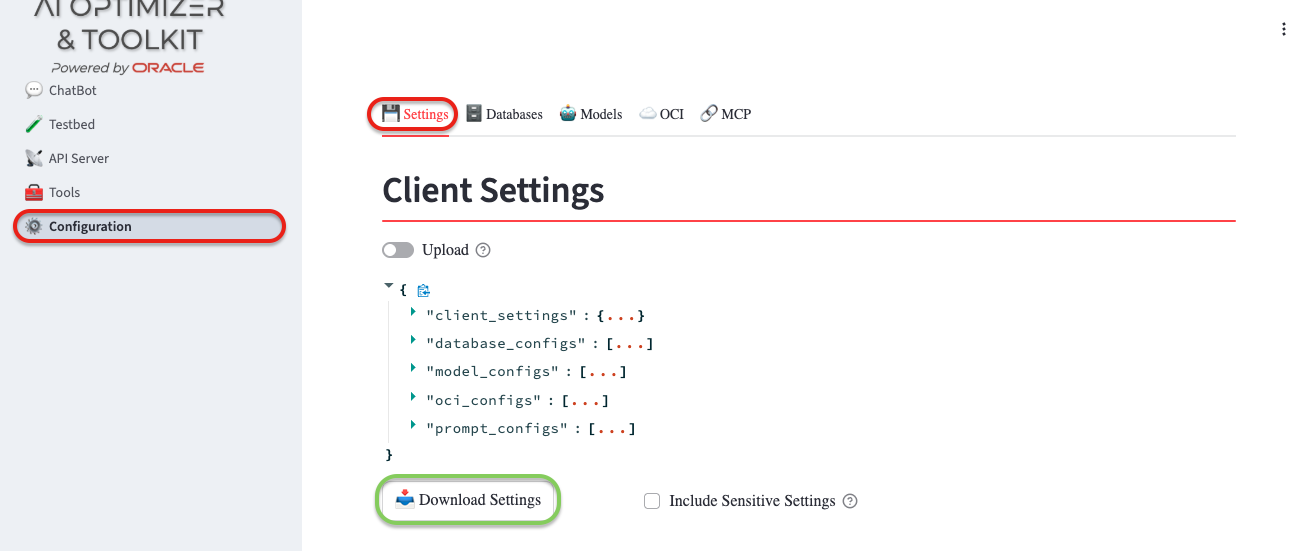
Settings can contain sensitive information such as database passwords and API keys. By default, sensitive values are not exported, so you must enter them again after importing the file into a new instance.
If you have a secure way to store the settings and need to export sensitive values, select Include Sensitive Settings.
Factory Reset
To reset the AI Optimizer settings back to the delivered "factory" state, you can use the "Factory Reset" button.
Factory Reset restores the delivered model list, prompts, and client selections. Environment model overrides are reapplied and locally available Ollama models are discovered again.
It does not remove database or OCI configurations. If several clients are connected to the same API Server, their temporary client sessions are cleared; the default and server client settings return to their defaults.
Upload
To upload previously downloaded settings, navigate to Configuration > Settings:
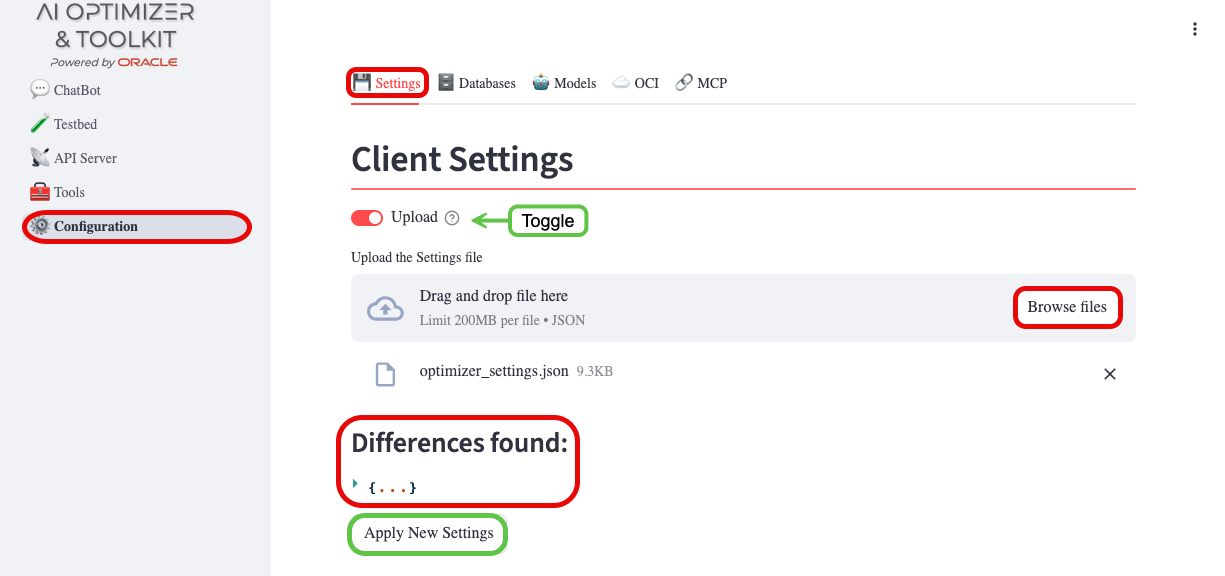
- Select Upload.
- Browse for and select the settings file.
Review the differences, then select Apply Settings. The import applies the settings in the file and leaves configurations not included in the file unchanged.
Source Code Templates
You can download basic templates from the client to expose the selected Vector Search configuration as an OpenAI API-compatible REST endpoint.
If your configuration includes either Ollama or OpenAI as providers for both chat and embedding models, the Download Spring AI button will be displayed.
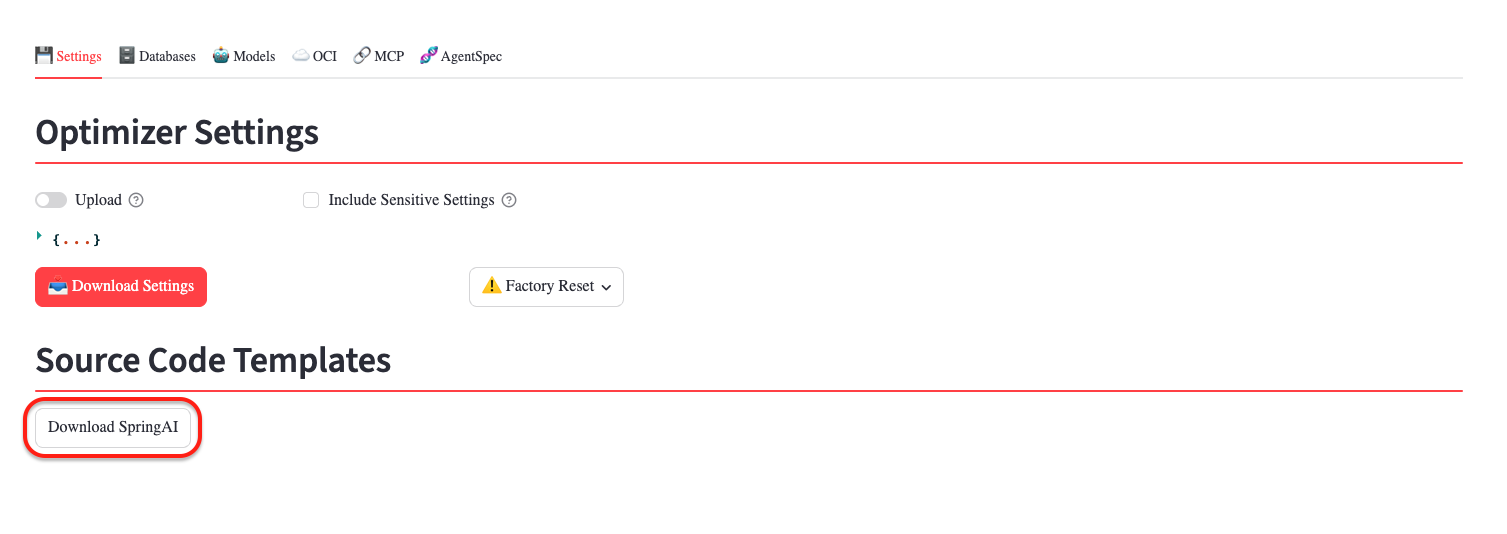
Mixed provider configurations, such as Ollama for embeddings and OpenAI for chat completion, are supported by the AI Optimizer. However, Spring AI templates are available only when the chat and embedding models use the same supported provider.
⭐️ For more information about the AI Optimizer and SpringAI templates see the documentation.