☁️ OCI Configuration
Oracle Cloud Infrastructure (OCI) is optional, but it enables additional AI Optimizer functionality:
- Document sources for Split/Embed from Object Storage
- Private cloud language and embedding models from the OCI Generative AI service
For API-key prerequisites, configuration files, containers, environment variables, and authentication types, see the Oracle Cloud Infrastructure guide.
Configuration
To configure OCI access from the AI Optimizer, navigate to Configuration > OCI:
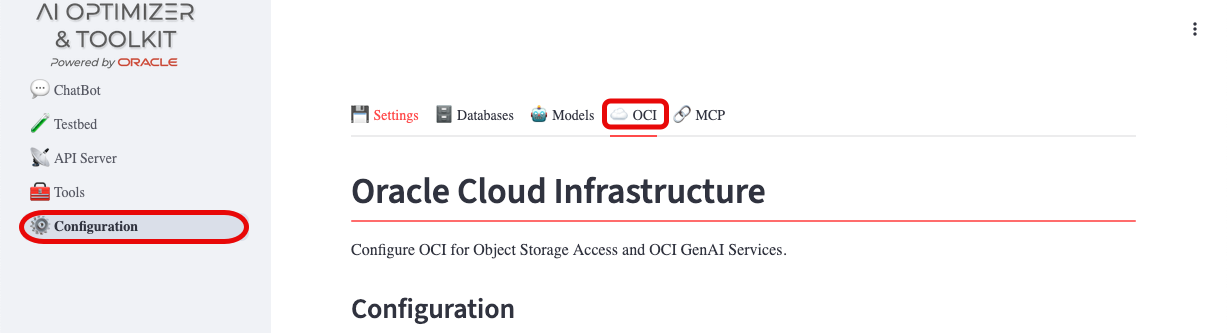
Provide the values obtained by generating an API key. Once OCI access is usable, you can also configure OCI Generative AI services on this page.
Loading OCI GenAI Models
The OCI Generative AI service provides private cloud language and embedding models. If you subscribe to the service, load the models available in your selected region directly into the AI Optimizer.
On the OCI tab, enter the GenAI Compartment OCID, click Check for OCI GenAI Models, choose a Region, then click Enable Region Models. The AI Optimizer queries the OCI Generative AI service for that region, then registers and enables every chat and embedding model it offers.
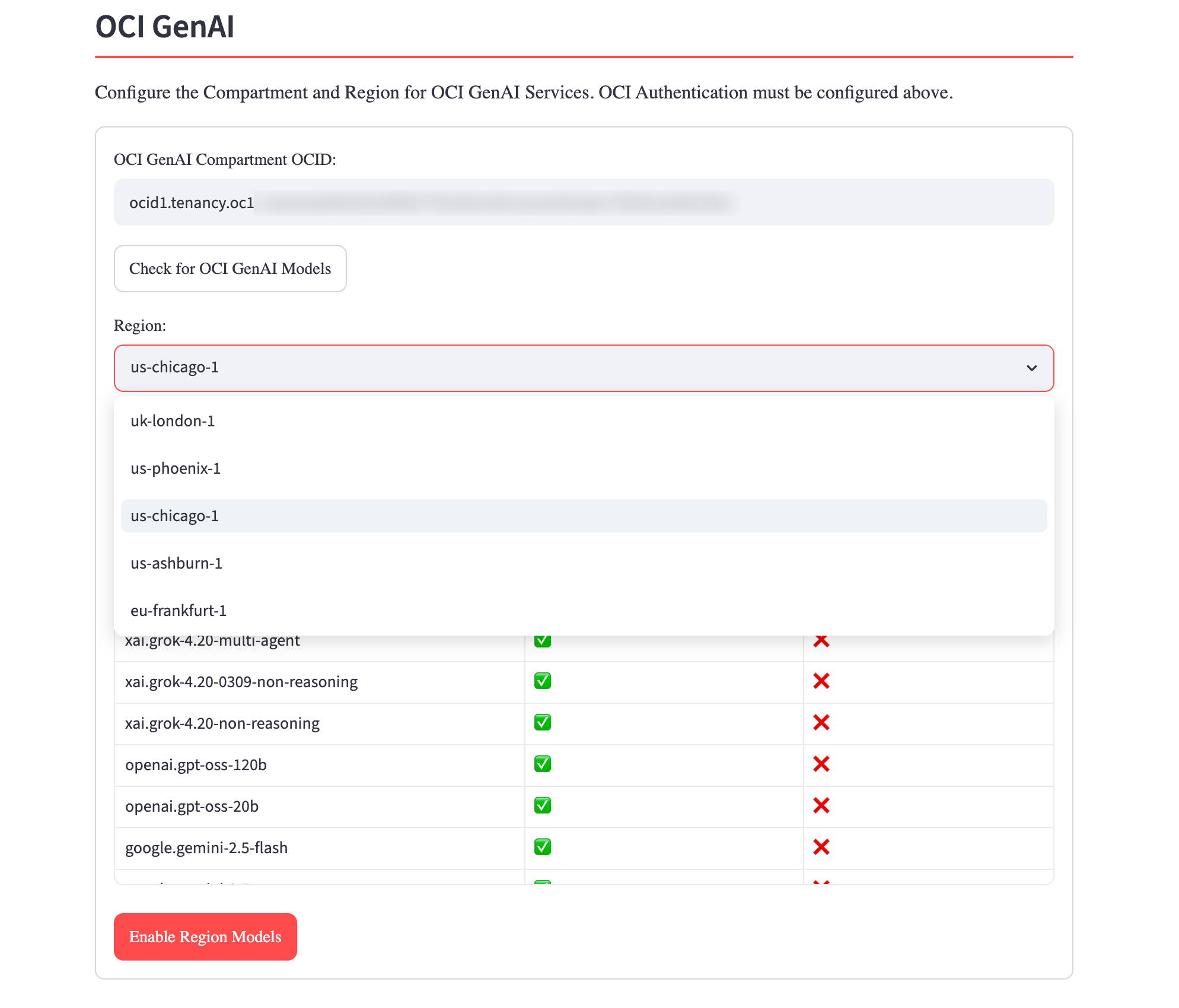
The models appear on the Models tab. Changing the configured region clears the previously loaded OCI models; the new region's models load when you run Enable Region Models again or when the application next starts with a persisted GenAI configuration. For startup configuration, see the Oracle Cloud Infrastructure guide.