🤖 Model Configuration
The AI Optimizer can connect to language and embedding models supported by LiteLLM for language-model generation and vector creation. You can add, modify, and delete model configurations from the client.
At a minimum, a language model must be configured for the LLM-only Agent and the model calls used by tool-enabled routes. For Retrieval-Augmented Generation (RAG), an embedding model will also need to be configured.
Some older and small language models may not have native function or tool-calling support for the NL2SQL Agent and model-driven Vector Search steps, which may result in unexpected behavior.
Configuration
To configure a language model or embedding model, from the AI Optimizer, navigate to Configuration > Models:
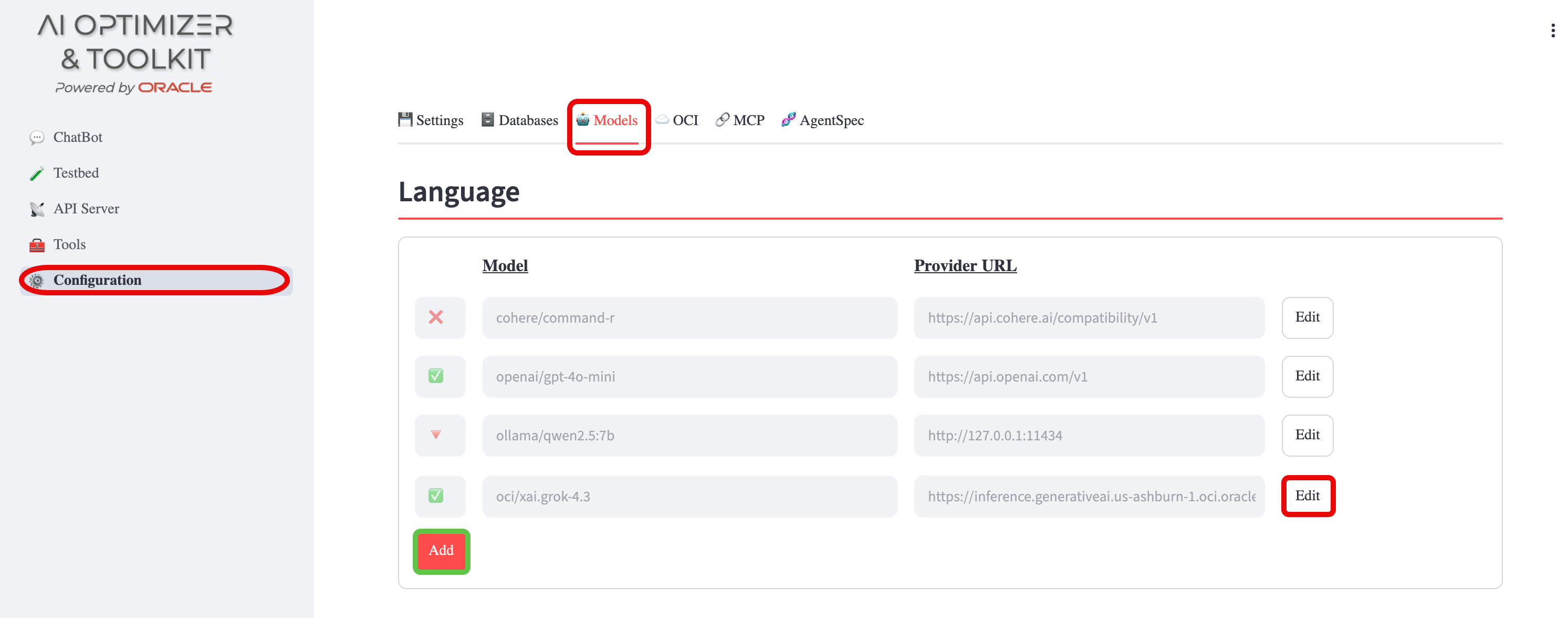
⭐️ For model-selection guidance, provider setup, and environment-variable configuration, see the AI Models guide.
Add/Edit/Delete
Set the Provider, API Key, and Provider URL as required.
For language models you can also set the Max Input Tokens (Context Length) and Max Output (Completion) Tokens.
For Embedding Models, set the Max Chunk Size. These values can often be found on the model card—if they are not listed, the defaults are usually sufficient.
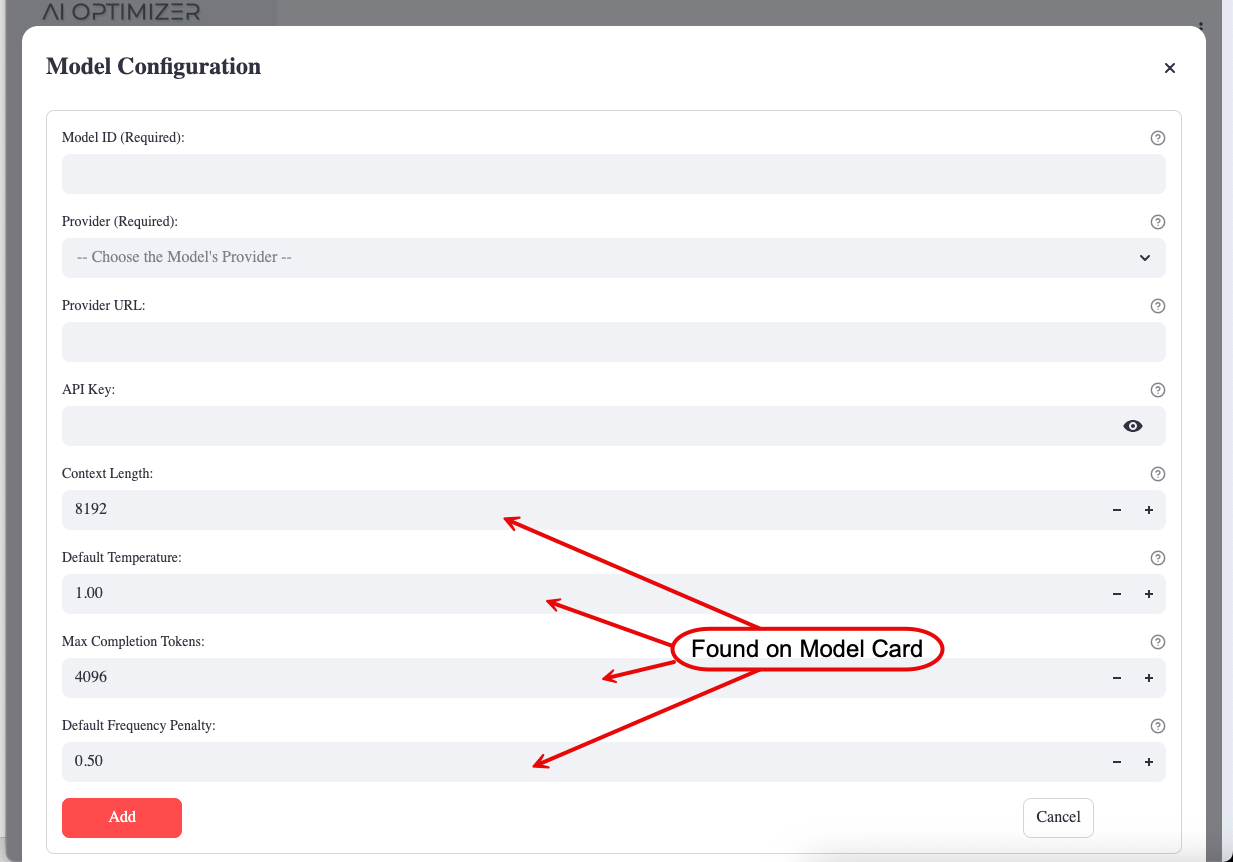
Some models ship pre-configured but disabled. When editing a model, tick the Enabled checkbox to activate it.
Enabling a model is necessary but not always sufficient for it to appear in selection lists. The AI Optimizer only offers models that are both enabled and reachable (a valid Provider URL, and an API Key where one is required).
To remove a model, use the Delete button while editing it; any settings that referenced it are cleared automatically.
Parameters
Provider
The AI Optimizer supports a number of model providers. When adding a model, choose the most appropriate provider. If unsure, or the specific provider is not listed, try a LiteLLM OpenAI-compatible provider, such as openai_like or custom_openai, before opening an issue requesting additional model provider support.
There are a number of local AI Model runners that use OpenAI-compatible APIs, including:
When using these local runners, select the appropriate LiteLLM provider. For example, use hosted_vllm for vLLM, or an OpenAI-compatible provider such as openai_like or custom_openai for other compatible endpoints.
Provider URL
The Provider URL for the model is either the URL, including the IP address or hostname and port, of a locally running model; or the remote URL for a third-party or cloud model.
Examples:
- Third-Party: OpenAI - https://api.openai.com/v1
- On-Premises: Ollama - http://localhost:11434
- On-Premises: LM Studio - http://localhost:1234/v1
API Keys
Third-party cloud models, such as OpenAI and Perplexity AI, require API keys. These keys are tied to registered, funded accounts on these platforms. For more information on creating an account, funding it, and generating API keys for third-party cloud models, visit their respective sites.
On-premises models, such as those from Ollama or HuggingFace, usually do not require API keys. These values can be left blank.