🗄️ Database Configuration
The Oracle AI Database provides:
- vector stores for document embeddings used in Retrieval-Augmented Generation (RAG)
- structured data for Natural Language to SQL (NL2SQL)
- storage for Testbed question-and-answer test sets and evaluations
- storage for AI Optimizer settings and configuration
To use this functionality of the AI Optimizer, you will need access to an Oracle AI Database. Both the Always Free Oracle Autonomous Database Serverless (ADB-S) and the Oracle AI Database Free are supported. They are a great, no-cost, way to get up and running quickly.
⭐️ For more information on setting up an Oracle AI Database, see the Oracle AI Database Guide.
Configuration
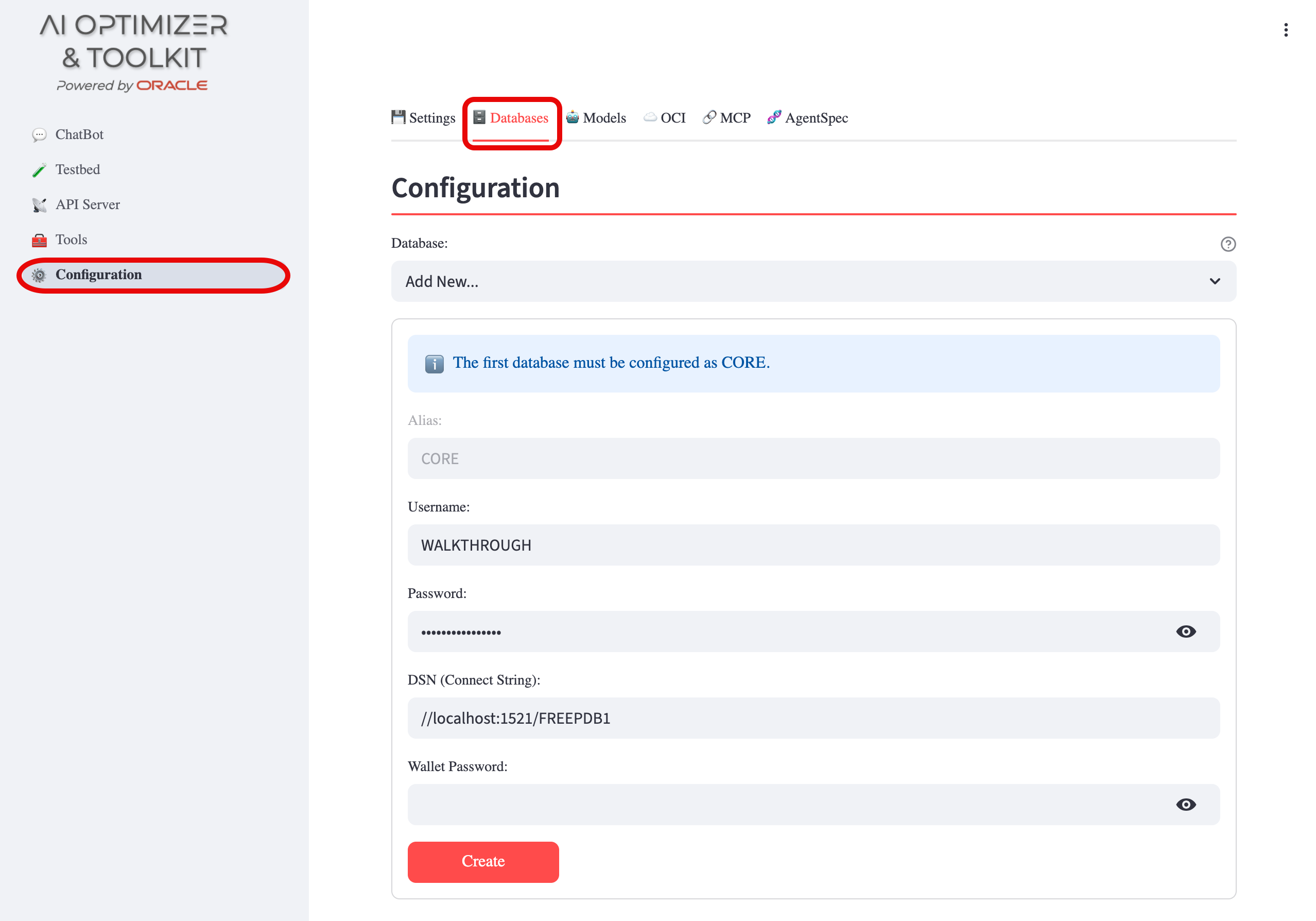
Navigate to Configuration > Databases:
CORE Database
The first database configured must use the alias CORE. The CORE database is used for application persistence (settings, test sets, evaluations). When no database has been configured, the alias field will automatically be set to CORE.
Additional Databases
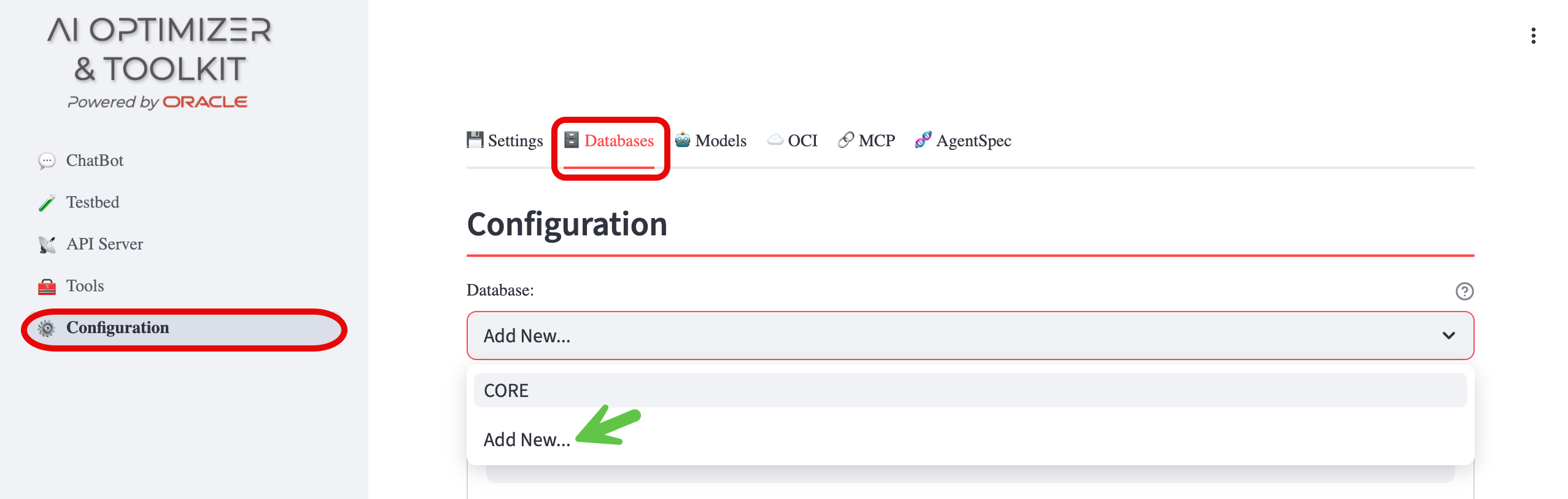
Once the CORE database is configured, additional databases can be added with custom aliases by selecting Add New... from the database dropdown. These databases can be used for Vector Search and NL2SQL operations.
The currently selected database is used for all Splitting and Embedding, NL2SQL, and Vector Search operations, so when you have more than one database, be sure to select the correct database.
Configuration Fields
Provide the following inputs:
- Alias: A unique identifier for the database configuration (automatically set to
COREfor the first database) - Username: The pre-created database username
- Password: The password for the Username
- DSN (Connect String): The full connection string or TNS Alias for the Database.
This is normally in the form of:
or(DESCRIPTION=(ADDRESS=(PROTOCOL=tcp)(HOST=<hostname>)(PORT=<port>))(CONNECT_DATA=(SERVICE_NAME=<serviceName>)))//<hostname>:<port>/<serviceName>
- Wallet Password (Optional): If the connection to the database uses mTLS, provide the wallet password. ⭐️ Review Using a Wallet for additional setup instructions.
Once all fields are set, click the Create or Save button.
NL2SQL Access
NL2SQL uses the database account configured for its saved SQLcl connection. Configure an account with only the permissions needed for the required objects, such as CREATE SESSION and SELECT on specific tables or views.
SQLcl restrict level 4 blocks host commands, scripts, and configuration-changing SQLcl commands by default. It does not change what SQL statements the configured database account can run. Prompts, MCP tool selection, and AgentSpec configuration do not change database authorization.
The NL2SQL prompt requests read-only queries, but the SQL tool can submit DML, DDL, and PL/SQL if the configured account has those privileges. Use a database account with appropriate permissions for the intended operations.