🔗 MCP Server
The Oracle AI Optimizer and Toolkit (the AI Optimizer) exposes a built-in Model Context Protocol (MCP) server using FastMCP. At startup, the server automatically registers tools, prompts, and any configured proxy servers (such as SQLcl for NL2SQL).
The AI Optimizer natively supports the SQLcl MCP Server for Natural Language to SQL (NL2SQL) capabilities. When SQLcl is available and databases are configured, the SQLcl MCP server is automatically registered at startup as a proxy under the sqlcl namespace.
⭐️ For developing custom MCP tools to integrate into the AI Optimizer, see Custom MCP Tools.
Model Context Protocol Page
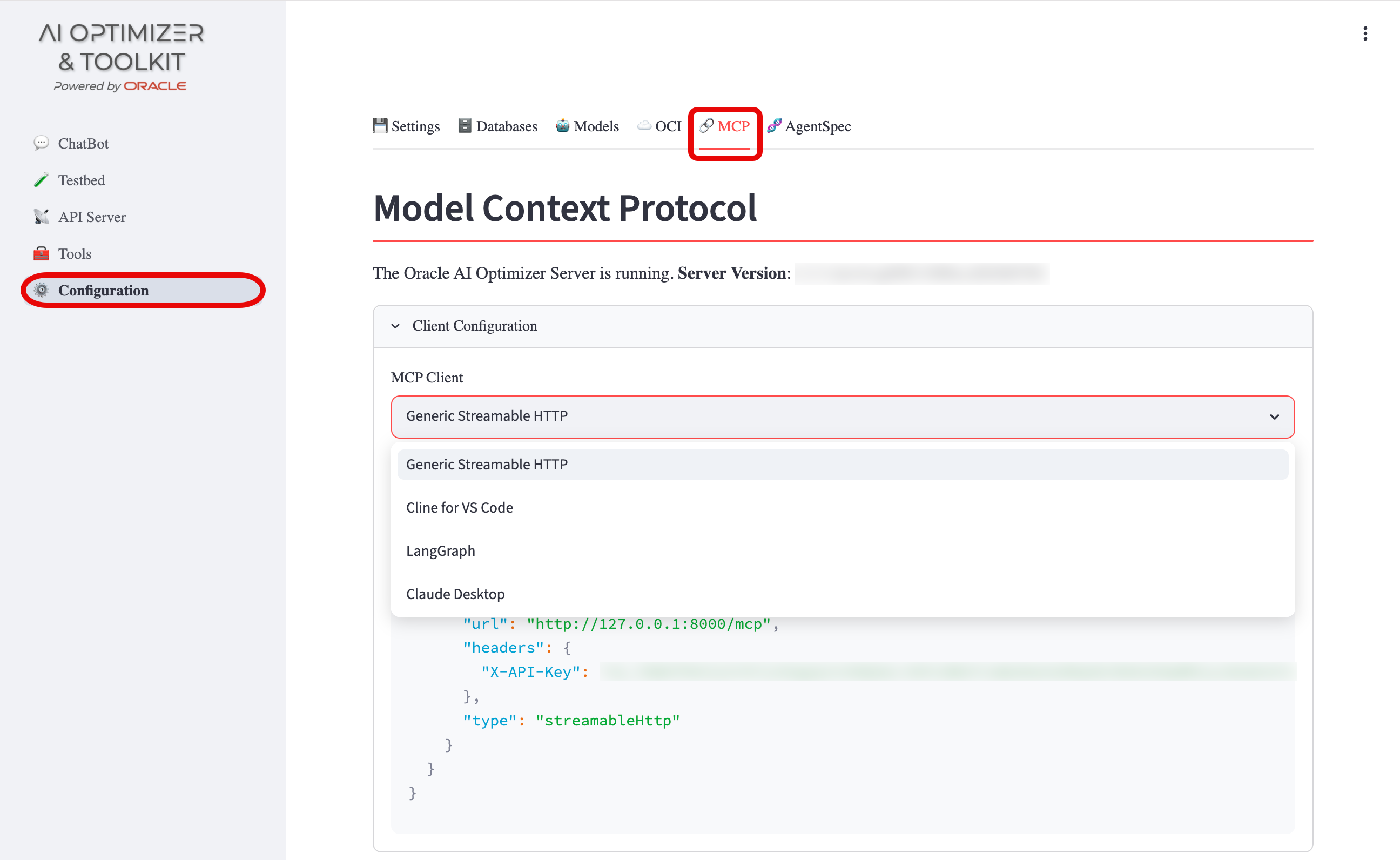
The Model Context Protocol page displays:
- Server Health: Connection status, server name, and version
- Client Configuration: Settings required to connect external MCP clients
- Registered Servers: Dropdown to select between registered MCP server namespaces
- Tools, Prompts, and Resources: Details for each registered item, including input schemas and descriptions
Connecting External MCP Clients
The AI Optimizer MCP server can be consumed by external MCP clients. The GUI provides tailored configurations for MCP Inspector, Cline for VS Code, LangGraph, and Claude Desktop. For another client that accepts Streamable HTTP, select Generic Streamable HTTP.
The API key authorizes an external MCP client to invoke the tools published by this server, including registered SQLcl proxy tools. Keep the key with users and systems authorized to use those server-side operations.
Use the client configuration from Configuration > MCP Server to retrieve the settings required for connecting external MCP clients. For configuration examples and connection verification, see External MCP Clients. For connection problems, see Troubleshooting.